
Quick Links
- Set Schedule (e.g., Groomer, Trainer, Swimmer etc.)
Admin > Account and Staff Management > Manage Staff Appointment Service Schedule
On this page, you can set your default work schedule. This schedule will be used to book appointments online and within PawsAdmin.
New: smarter days off. You can now write a custom message clients see when they try to book on a closed date, add national holidays with one click, and edit any closure inline. See Smarter Days Off - Custom Closed-Day Messages and One-Click Holidays for the full walkthrough.
- Appointment Staff Days-off (e.g., Groomer, Trainer, Swimmer etc.)
Admin > Account and Staff Management > Facility/Staff Days Off
- Facility Schedule (Default Days Open)
Admin > Store Configuration > Facility Days Open
There is no need to configure days open for Boarding, as it defaults to run 7 days a week
- Facility closure
Admin > Account and Staff Management > Facility/Staff Days Off
- Boarding drop-off & pick-up time
Admin > Calendar & capacity > General Days Open
How It Works
Set Schedule (e.g., Groomer, Trainer, Swimmer etc.)
Take a look at Scheduling & Online Booking
Appointment Staff Days-off (e.g., Groomer, Trainer, Swimmer etc.)
In Facility/Staff Days Off, click on Facility/Staff Days Off to expand the selection. Choose an appointment staff.
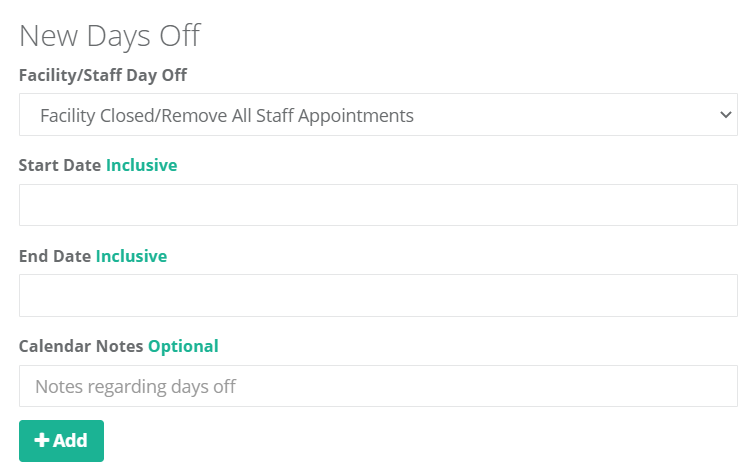
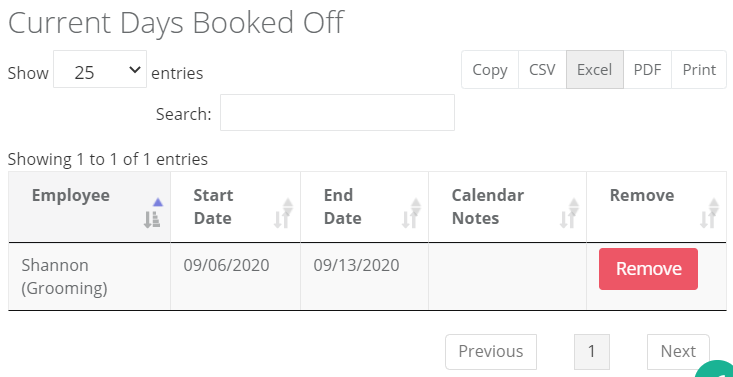
Once added, you will find the new dates in the table below. Search by name, date, and note instantly in the search box. Export to a variety of formats including Excel, PDF, CSV, etc..
Once set, go to your weekly calendar page (e.g., Grooming Weekly, Daily Booking), and you will find the open appointments automatically removed during this period. An alert is displayed on the booking pages to keep your calendar organized.
Your (or your staff's) online booking schedule is also automatically updated instantly, so no surprise appointments will come through.

If your entire facility is closed, please see the Facility Closure section below.
P.S.: There is no need to update the hourly staff schedule, as it does not impact your booking schedule. If you are interested in setting up staff's clock-in clock-out, take a look at Setup Clock-in & Clock-out
Facility Schedule (Default Days Open)
In Facility Days Open, set days-of-week open. Boarding defaults to be open 7 days a week.
For special closure, please see the Facility Closure section below.
Facility Closure
In Facility/Staff Days Off, choose the default option - Facility Closed/Remove all Staff Appointments.
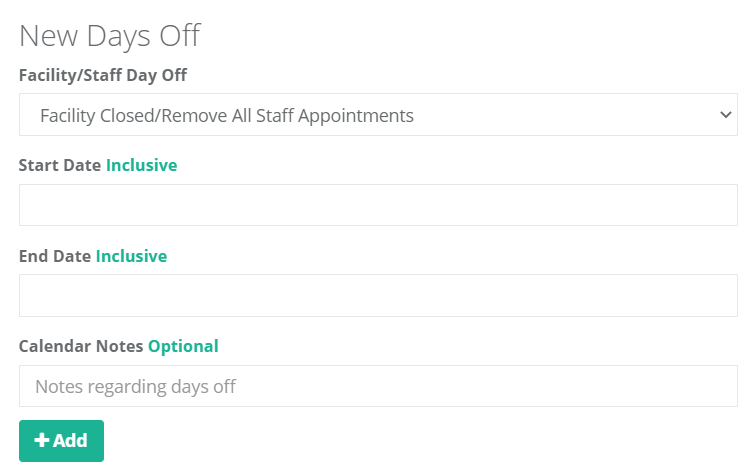
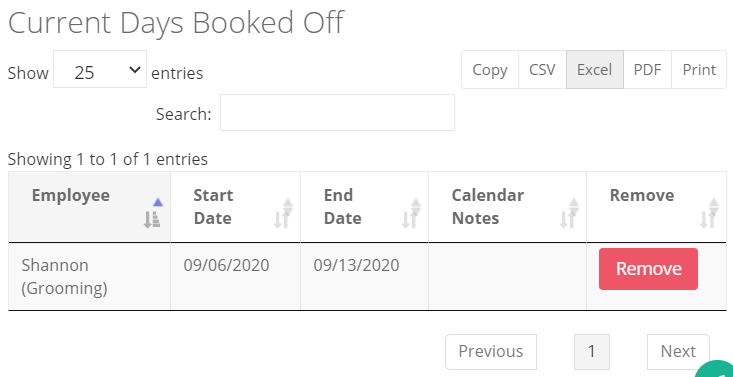
Once added, you will find the new dates in the table below. Search by name, date, and note instantly in the search box. Export to a variety of formats including Excel, PDF, CSV, etc..
Once set, go to your weekly calendar page (e.g., Grooming Weekly, Daily Booking), and you will find all of the open appointments automatically removed during this period. An alert is displayed on the booking pages to keep your calendar organized.
The online booking schedule is also automatically updated instantly, so no surprise appointments will come through.