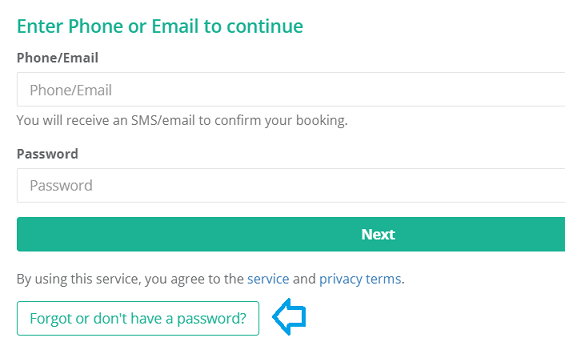
There are two ways to add online booking to your website. Here is how.
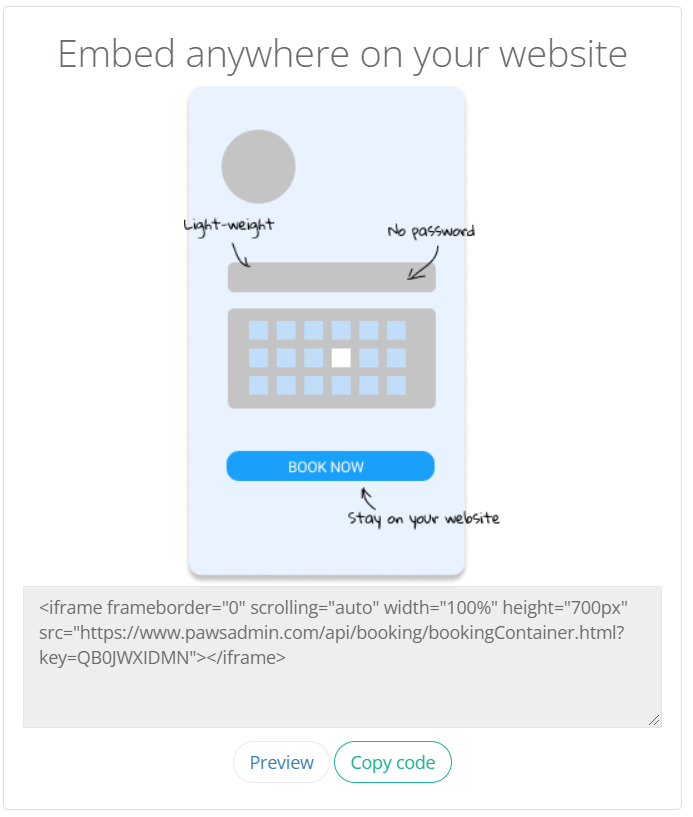
Widget
- Log in to your PawsAdmin account and go to the left side menu > online booking > How to book.
- Click Copy Code in the Embed option.
- Go to your website builder and find the edit web page or add widget option. (If you need help with a specific website builder, please email support@pawsadmin.com)
- Preview or save. The Widget should show up on your web page instantly.
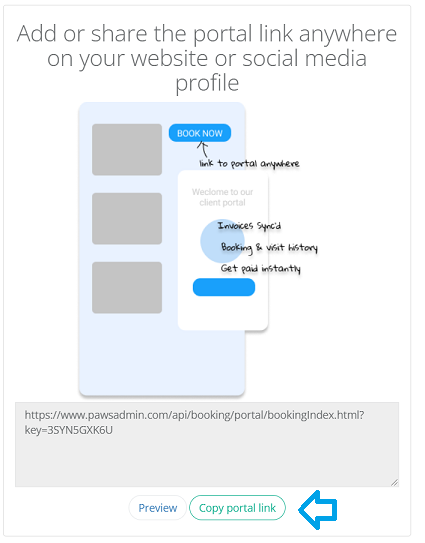
Portal
- Log in to your PawsAdmin account and go to the left side menu > online booking > How to book.
- Click Copy Portal Link in the Portal option.
- Go to your website builder and find the add a button or link option. Then paste the destination portal URL. ( (If you need help with a specific website builder, please email support@pawsadmin.com)
- Preview or save. Click on the new link or button on your website, and it will take you to the portal page.
Note: If your clients are transitioning from using the Online Booking Widget to both Widget and the Portal option, they can obtain a password by clicking on the 'Forgot or don't have a password' button.